| Posted by kyle on May 22, 2007 12:55 AM | bookmark / share: |
|
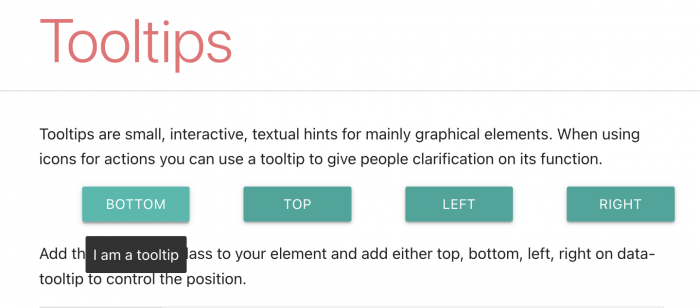
I get lot's of e-mails from JSViz users that want to know how to integrate tooltips into their graphs. Up until now, my responses have been something like this:
Yeah, that's super easy and everyone is always asking. I'll work up an example as soon as I have moment.
So I had a moment and here it is:
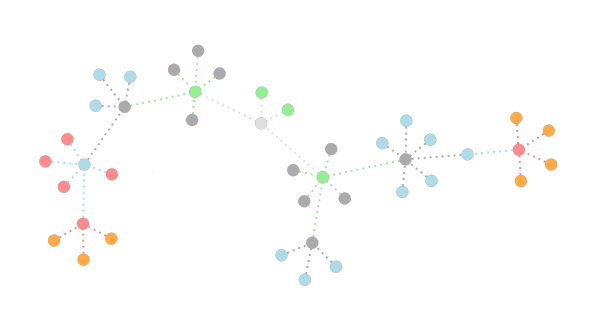
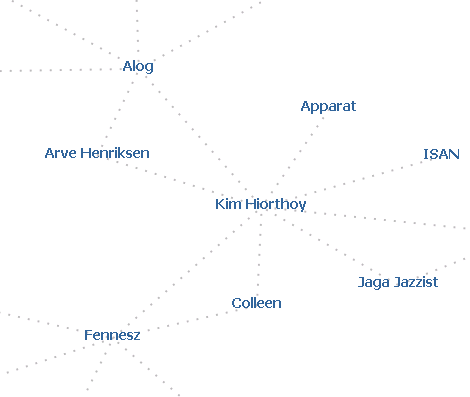
I modified the XML Snowflake Graph example to display a tooltip when you mouse over a node. Here's how you can add tooltips to your graph:
Add a DIV element to the body of your HTML to hold the contents of your tooltip.
<div id="debug" style="position:absolute"></div>
Add some functions to show and hide the tooltip.
window.showToolTip = function(dataNode, modelNode) {
var tt = document.getElementById("tooltip");
tt.innerHTML="Color: " + dataNode.color;
tt.style.display="block";
tt.style.left=(modelNode.positionX*window.layout.view.skewX + window.layout.view.centerX + 5) + "px";
tt.style.top=(modelNode.positionY*window.layout.view.skewY + window.layout.view.centerY - 25) + "px";
}
window.hideToolTip = function() {
var tt = document.getElementById("tooltip");
tt.style.display="none";
}
You'll notice we do some funny stuff to position the tooltip. In our graph, the center is at (0, 0), and we use an optional skewing factor to ensure we use all of the available space to render the graph. We need to convert these coordinates to those of the window.
We attach event handlers to the mouseover and mouseout events for each node.
nodeElement.onmouseover = new EventHandler( window, window.showToolTip, dataNode, modelNode );
nodeElement.onmouseout = new EventHandler( window, window.hideToolTip, dataNode, modelNode );
Note that I placed the show and hide functions in the global scope (which you can access most quickly with "window"). I suggest that if you're building a larger application that uses other libraries, you should wrap your functions in an object to avoid namespace collisions.
Finally, we add some CSS to style the tooltip.
#tooltip{
position: absolute;
display: none;
border: 1px solid #888888;
background: #ffffee;
font-family: Verdana, sans-serif;
font-size: 12px;
font-weight: bold;
padding: 2px;
z-Index: 20;
}
Comments
Very very nice Kyle I have been tasked with attempting to do a ThinkMap implementation using your library. So it will be interesting to see what I come up with. I check this site daily to see if there any new versions of the library that have optimized rendering schemes. One thing that I know will be a requirement is to show relationships on a sibling level and presedence of a node. For example the 'influence' that node has agaisnt other nodes as the component I need to develop is targeted towards a social network map.
Posted by: WIll | May 24, 2007 05:30 PM
Edge labels!
That's all we need. =]
Posted by: Jeremy | June 7, 2007 02:42 AM
Hey Jeremy, what's new? I finished a short round of updates a couple of weeks back that includes support for edge labels. I'll post about it over the next couple of days.
Posted by: Kyle | June 7, 2007 03:01 AM
Hey Will, Are you working with the Force Directed model? You can demonstrate the magnitude of relationships between nodes by adding a spring relationship between them, and specifying a spring constant that's representative of the magnitude.
If you are using ForceDirectedLayout.js, you'll probably want to override the "addSimilarity" function with a function that assigns an appropriate spring constant. That Layout could really use some work and I'm open to suggestions (and contributions) if you've got 'em. Have fun!
Posted by: Kyle | June 7, 2007 03:11 AM
That's great, Kyle! I hope things are going well at Google. One other thing I was wondering (I don't even know if it's possible): Can you have pre-computed layouts? I guess what I'm asking is will your code work as an in-browser version of Graphviz. If you had a somewhat static set of nodes/edges, then pre-computing the positions of the graph elements would save a lot of time/processing. You'd still have all the interactivity once it was displayed in a browser but you wouldn't have to compute all the forces/springs/whatever in real-time. It would be even better if you could view a specific "window" of a large graph, and then be able to shift to different section of the graph when needed, but that might be too much to ask. Anyway, either way, keep up the great work!
Posted by: Jeremy | June 11, 2007 09:53 PM
Has anyone got these to work with Internet Explorer 7. Besides the nasty Active-X box that pops up, i get a "(Mozilla) - [object error]" message in internet explorer 7. The only one that works at all in IE7 is the RandomCircuit_ForceDirected model. Any time I try to load XML into it, IE7 breaks completely.
I managed to get firefox to work with a much more complicated XML schema. Links, names and a lot of other features were no problem. Internet explorer is a mess.
Posted by: Jestep | August 2, 2007 10:50 AM